
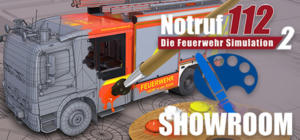
In <strong>Emergency Call 112 Showroom</strong>, you have the opportunity to look at all currently done vehicles from<strong> Emergency Call 112 – The Fire Fighting Simulation 2</strong> in detail for the first time. <br><br>The <strong>Emergency Call 112 Showroom</strong> offers you the possibility to design and implement your own textures and share them with the community via the [Steam Workshop].<br>Compare notes with other gamers and build the textures of your fire fighting station so that it is ready for the main game. <br><br>To edit the Texture we recommend to use Adobe Photoshop / GIMP / <a>PAINT.NET</a> - make sure to save the file as DXT1 DDS and Mipmaps (maybe require a plugin) and mirror the image vertical before export!<br><br>If you have any question or want to chat with the community join us at<br><a></a>
Browse free Notruf 112 - Die Feuerwehr Simulation 2: Showroom trainers and cheats created and shared by the Modcado community.
Trainer Options / Cheats (0)
Don't see the cheat you want? Create it yourself with Modcado →
Game knowledge
Minimum specs
- Windows
- Windows 7 (SP1+) and Windows 10, 64 bit versions only, 64-bit
- Processor
- X86 with SSE2
- Graphics card
- DX11 capable GPUs
- RAM
- 8 GB
- DirectX
- 11
- Disk space
- 2 GB
From the game's store page.
Sign in to see what players' verified hunts found about this game's values, and the controls and playbooks they shared from Modcado.
Discussion (0)
Sign in to postmodcado-ui reports (0)
Sign in to reportHow does modcado-ui run with this game? Report whether it launches, the overlay appears and the trainer options apply — and discuss workarounds.